


Product Description +
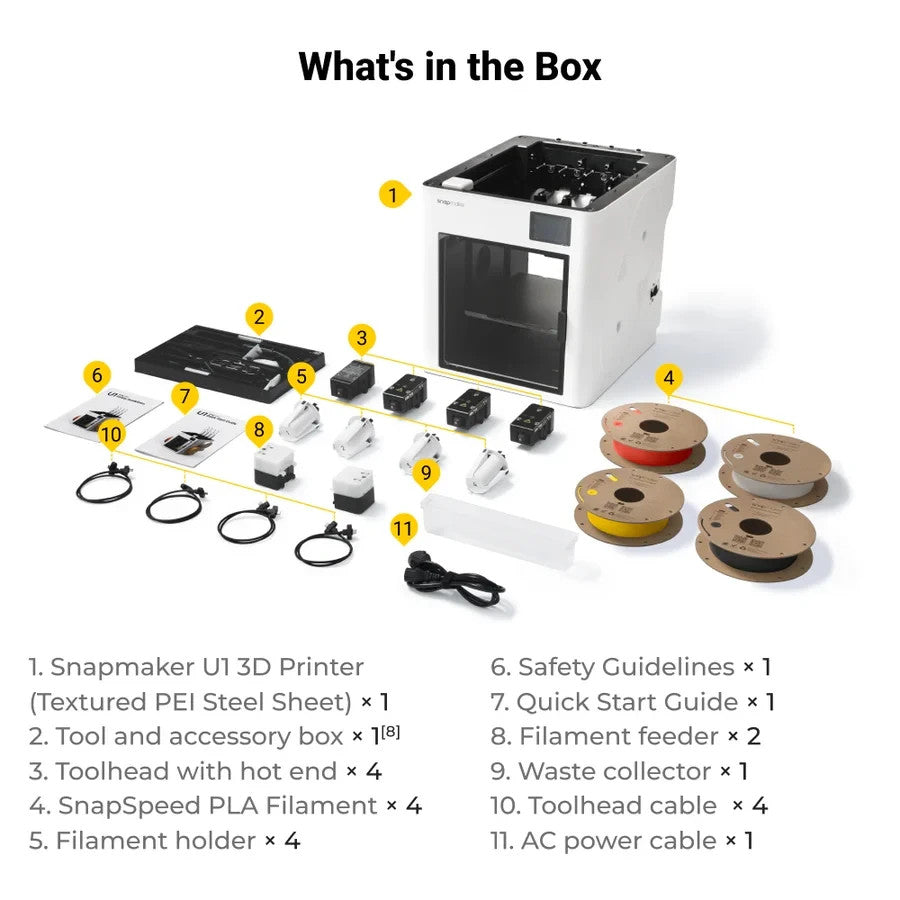
Snapmaker U1 3D Printer
Multi-head 3D printer with SnapSwap technology
Product Description
The Snapmaker U1 is a multi-head FDM 3D printer for multi-color printing and efficient filament changes. The SnapSwap technology automatically changes the tool head, reducing waiting time and material waste compared to many classic multi-color systems.
With four independent tool heads, CoreXY structure, automatic mesh bed leveling, input shaping, and pressure advance, the U1 is designed for fast, precise, and repeatable print results.
The system is suitable for creative multi-color models, prototypes, and functional printed parts with common materials such as PLA, PETG, ABS, and TPU. The actual achievable results, as always, depend on the material, slicer profile, component geometry, and printing environment.
Technical Data
| Brand: | Snapmaker |
| Model: | U1 |
| Technology: | Fused Deposition Modeling (FDM) |
| Print Heads: | 4 independent tool heads with SnapSwap |
| Build Volume: | 270 x 270 x 270 mm |
| Max. Print Speed: | 300 mm/s |
| Max. Travel Speed: | 500 mm/s |
| Acceleration: | 20,000 mm/s² |
| Bed Leveling: | Automatic Mesh Bed Leveling |
| Other Features: | Input Shaping, Pressure Advance, Multi-color Printing |
Note
Availability and delivery time depend on current stock in the shop. Technical specifications may vary depending on manufacturer information and software version.
Shipping & Returns +
Shipping: Available shipping options and rates are shown during checkout.
Returns: The return and cancellation terms provided in this store apply.
If you have questions about shipping, delivery times or returns, we are happy to help.
Why this product? +
This product was selected for our store because it combines quality, everyday usability and reliable 3D printing results.
Especially with filaments, we focus on trusted brands, consistent quality and products that perform well in practical use.
Frequently Asked Questions about this Filament
How should filament be stored?
Filament should be stored dry and protected from moisture. If the material has absorbed moisture, drying it before printing can improve print quality.
Are print settings the same for every printer?
No. Temperature, speed, cooling and flow settings may need to be adjusted depending on the printer, nozzle, build plate and material condition.
Which filament is best for beginners?
PLA is usually the easiest material for beginners. PETG is a good next step when more toughness and temperature resistance are needed.
Why is dry filament important?
Moist filament can cause stringing, bubbles, rough surfaces and weak layer adhesion. Dry storage helps keep print quality consistent.
Can every filament be printed on every printer?
Not always. Some materials need higher temperatures, an enclosed build chamber or a specific extruder setup. Always check whether your printer is suitable for the material.
How do I improve print quality?
Good print quality depends on dry filament, suitable temperature settings, correct bed adhesion, calibrated flow and a clean nozzle.